Project: Mobile Availability Management
Role: UI/UX Designer
Platform: Mobile
Tools: Figma
Role: UI/UX Designer
Platform: Mobile
Tools: Figma
Existing Calendar UI
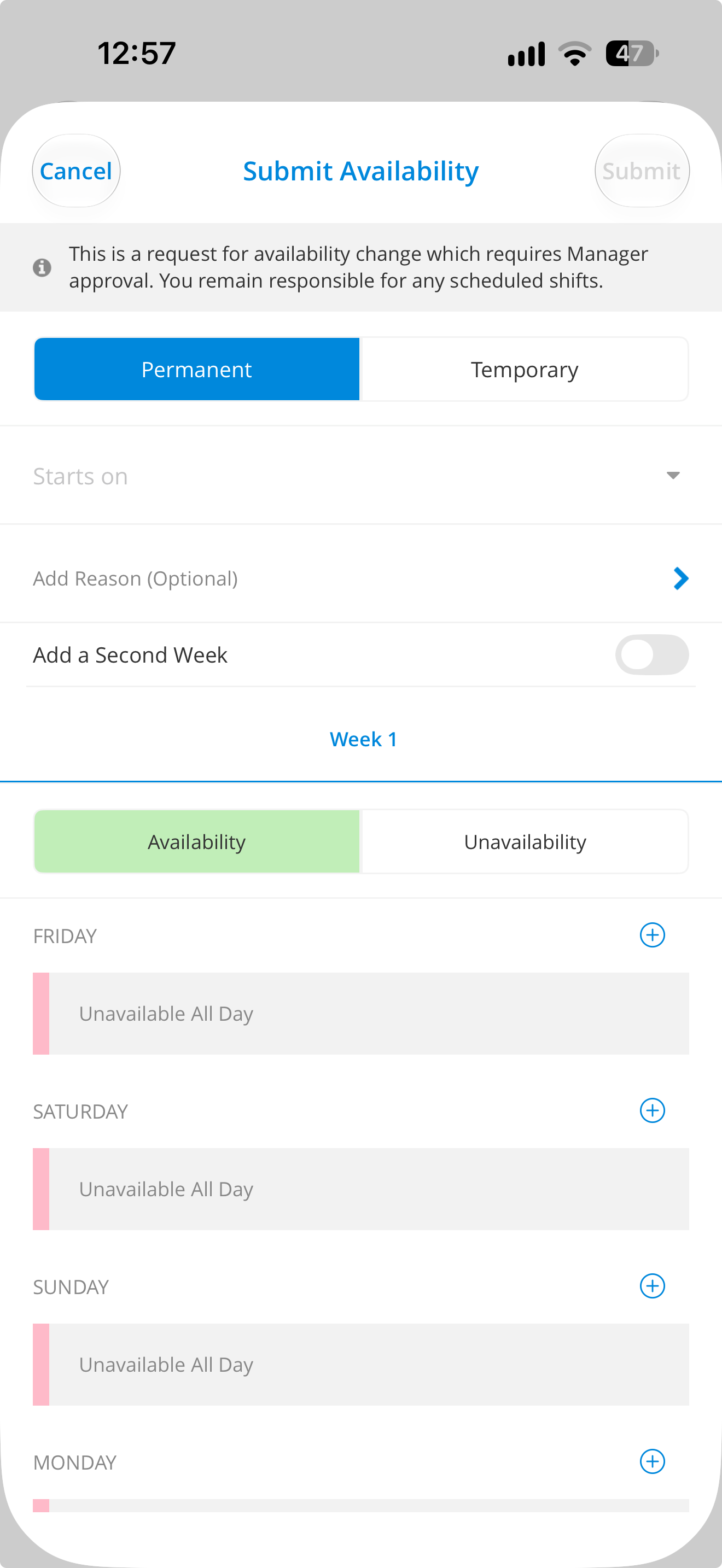
Existing Date Selector UI
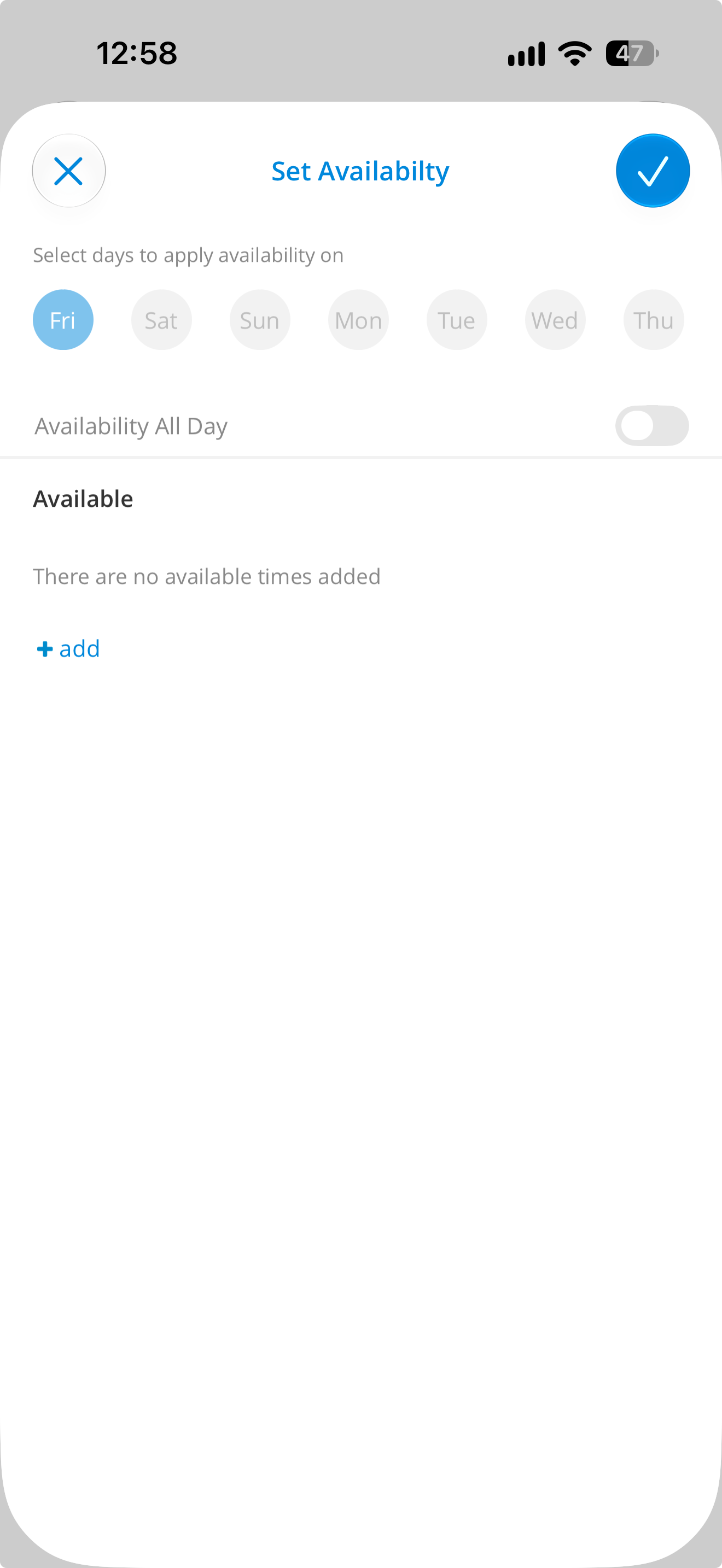
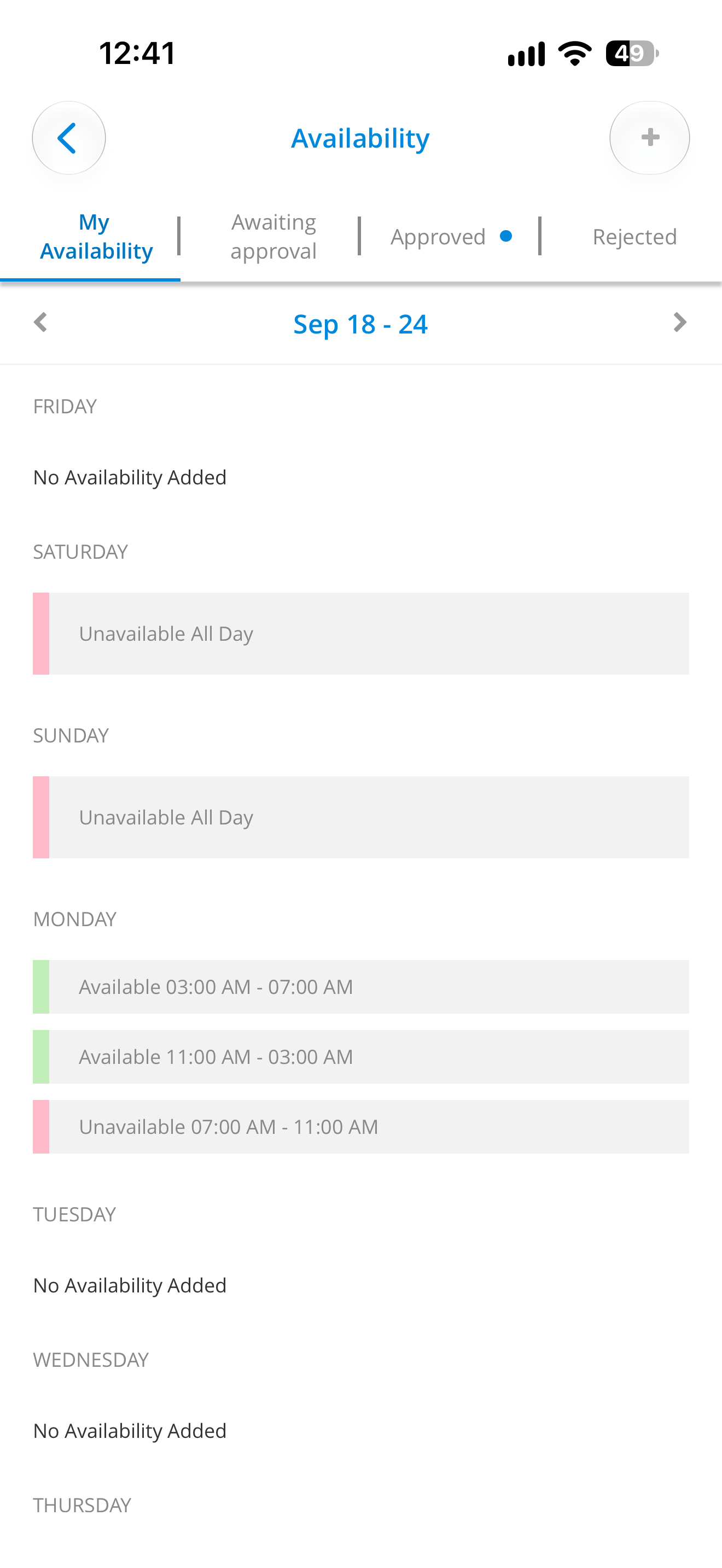
Existing Availability UI
From the experiences of fellow co-workers, and also my own personal use of the app, the issues of the existing availability flow were as follows:
1. Availability and unavailability are separated into two concepts, which confuses the user.
2. The vertically scrolling list of days creates unnecessary confusion with the relationship between the dates they represent
3. no clear way to select a range of dates, as each day is selected individually within a week's range of Friday-Thursday
4. Existing or pending requests were not accounted for when creating a new availability request
5. Clarity with what was about to be submitted by the user was lacking, which led to user confusion and submission of incorrect dates
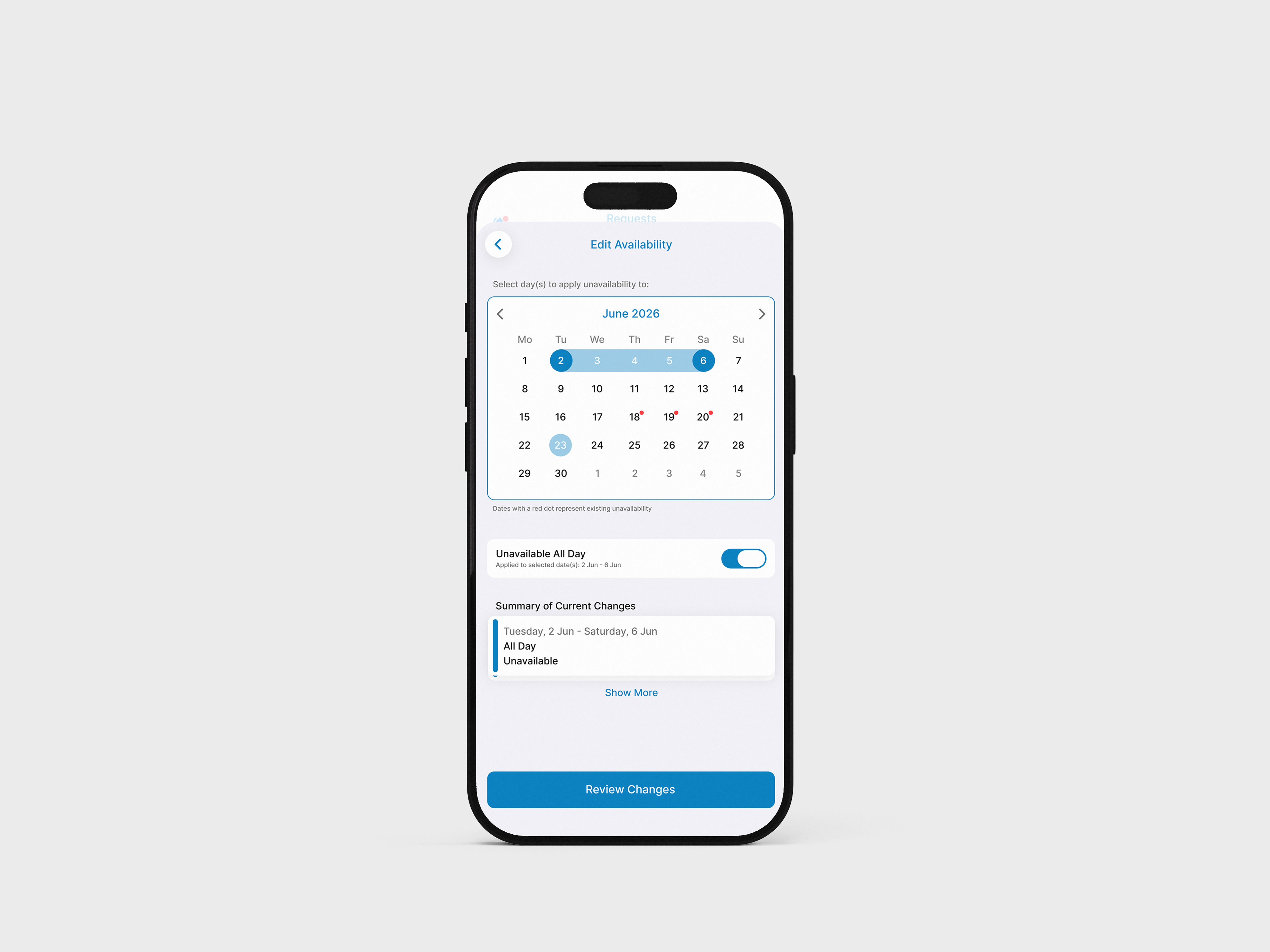
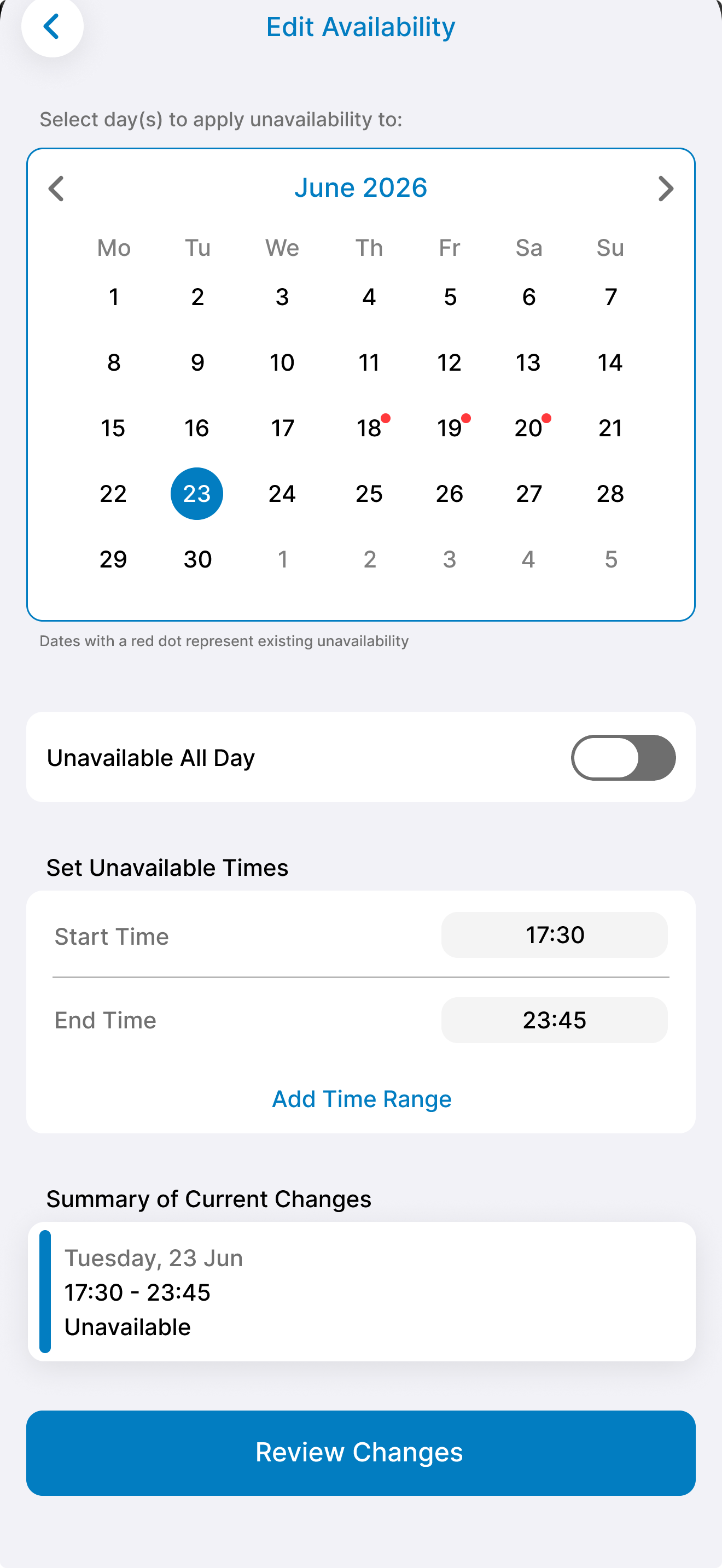
The idea was to consolidate the elements of the current UI into a more concise and easy to understand calendar design, similar to that of the Apple Calendar app. Using this flow, the user would find it easier to navigate and would be able to review their selected dates and make any adjustments if needed.
The key edge cases for this design, in order to improve on the existing design, were:
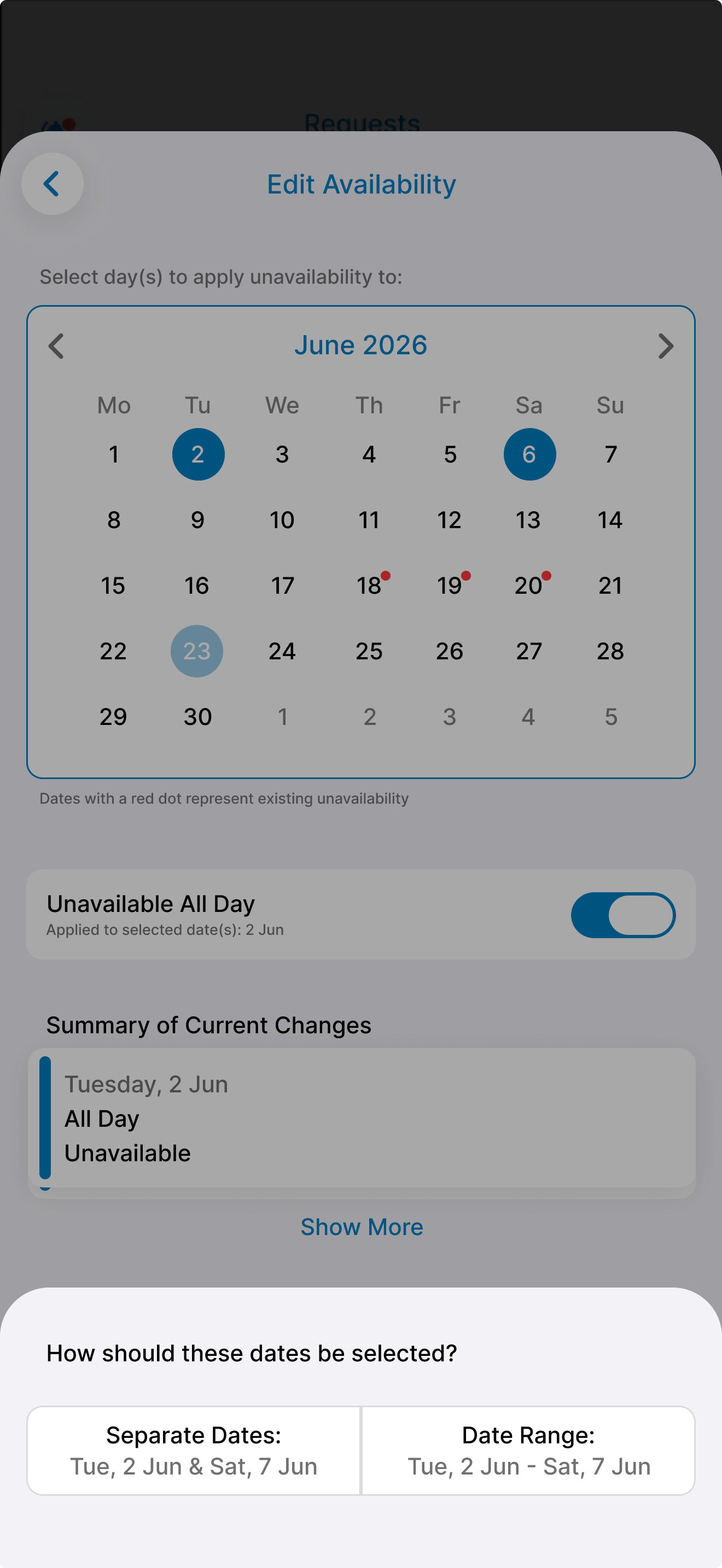
1. Choosing separate dates vs a date range
2. selecting an existing date conflict
3. Exiting without saving changes
4. No availability added
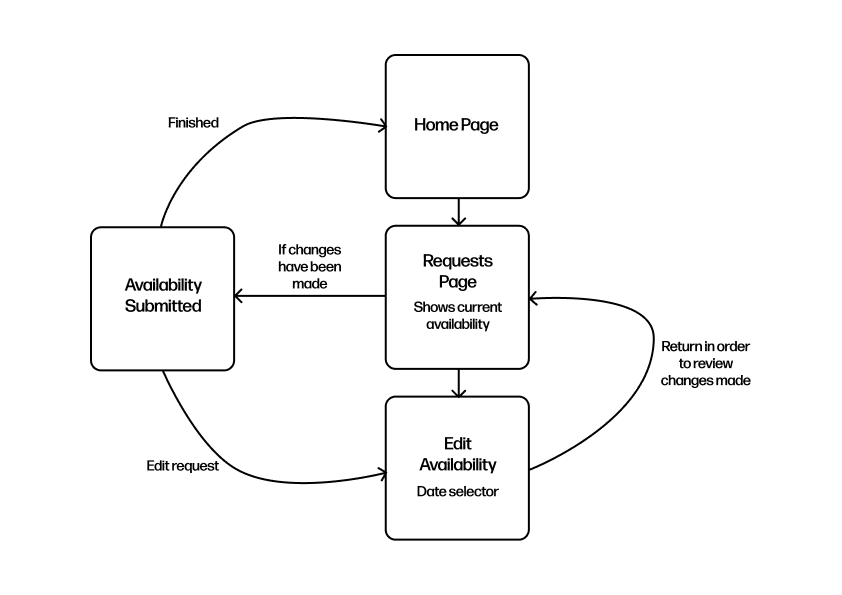
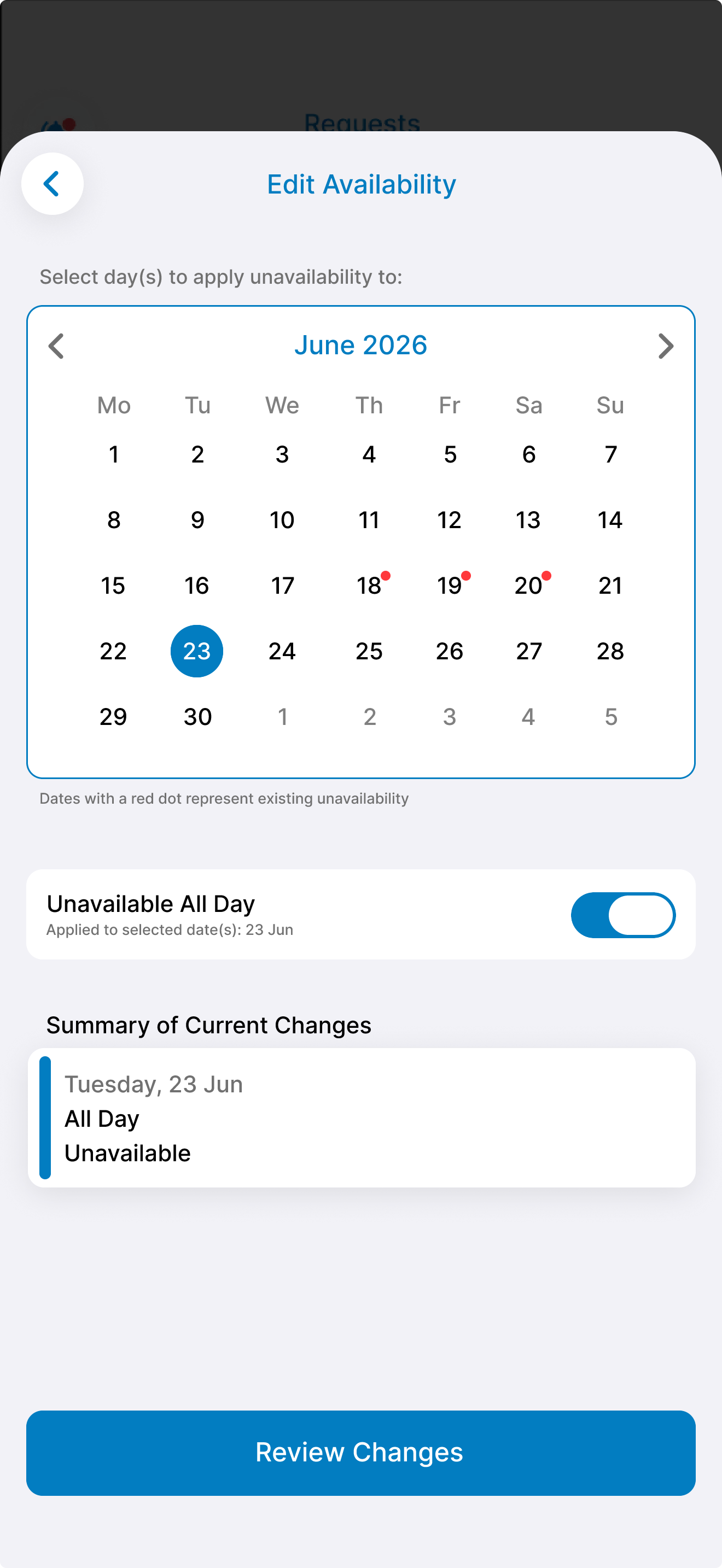
The current design separates day and date selection into two interfaces, which leads to confusion among users, and forces them to memorise which day of the week corresponds to which date. The list of days also starts on a Friday and ends on a Thursday which creates further difficulty when booking a range of days off.
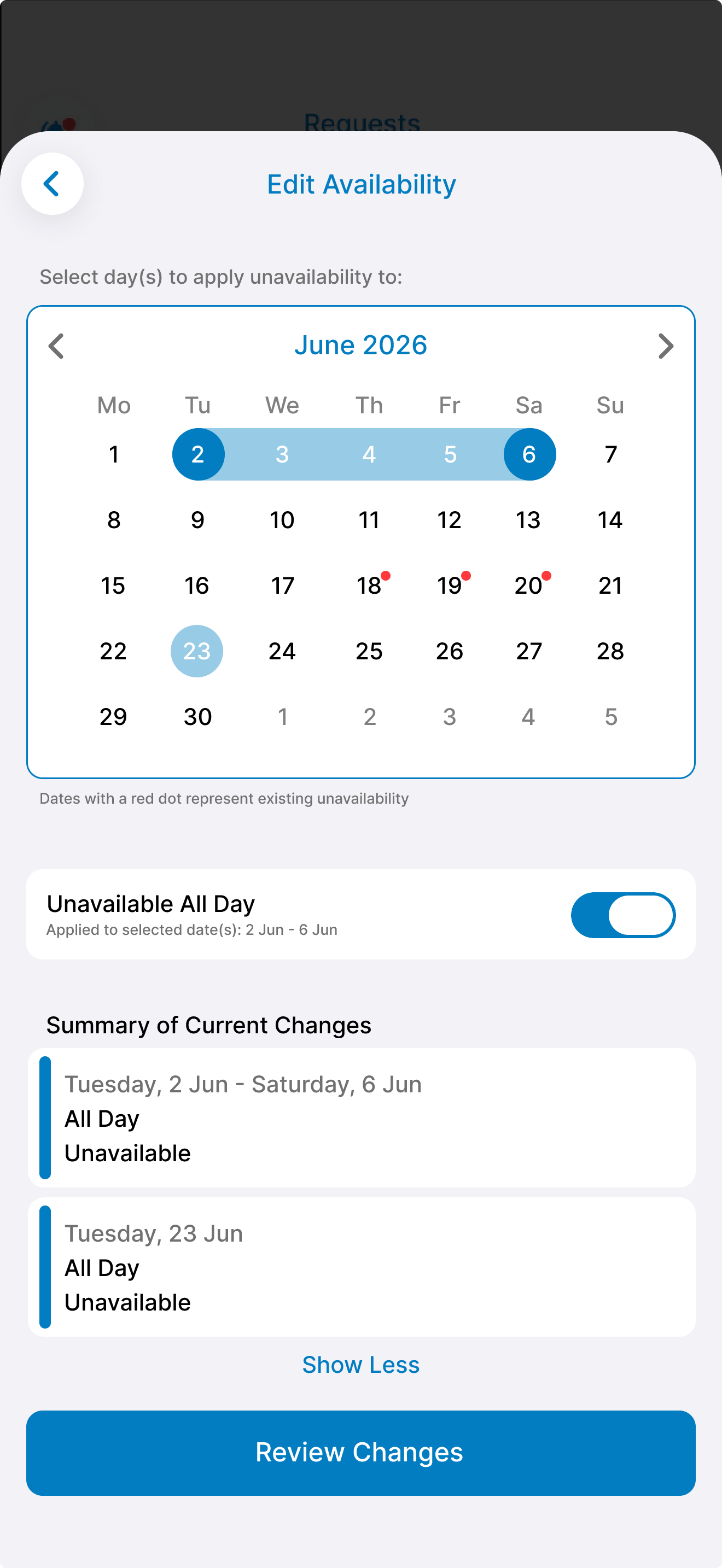
To combat these issues, the new UI merges two screens into one succinct calendar format that can fit a month's worth of dates on the screen at once. The user also now receives instant feedback of their selection with the summary of changes at the bottom of the screen. This gives a concise breakdown of the date and the range of time that they're unavailable.
Specific times can also be requested in order to specify a day or night shift, with the option to add multiple times to be even more precise. Text below The button to switch between all day or time range now tells the user that this will only be applied to the date/dates selected. This provides reassurance that the changes made won't be applied to all their dates.
Date ranges